📍 Meet IntoAEC at MBAM OneBuild 2026, Malaysia (Aug 5–7)! Planning to attend? Reserve your demo slot and let us know you'll be there. Register Here→
BOQ Software
Create Accurate Bills of Quantities Fast
Eliminate manual errors and streamline your costing process. With IntoAEC’s BOQ feature, generate detailed Bill of Quantities automatically—ensuring precision, speed, and adaptability. From real-time updates to customizable pricing, our tool keeps your bids accurate and your projects on budget.
Inquire Now
BOQ My Items for Quick Estimating
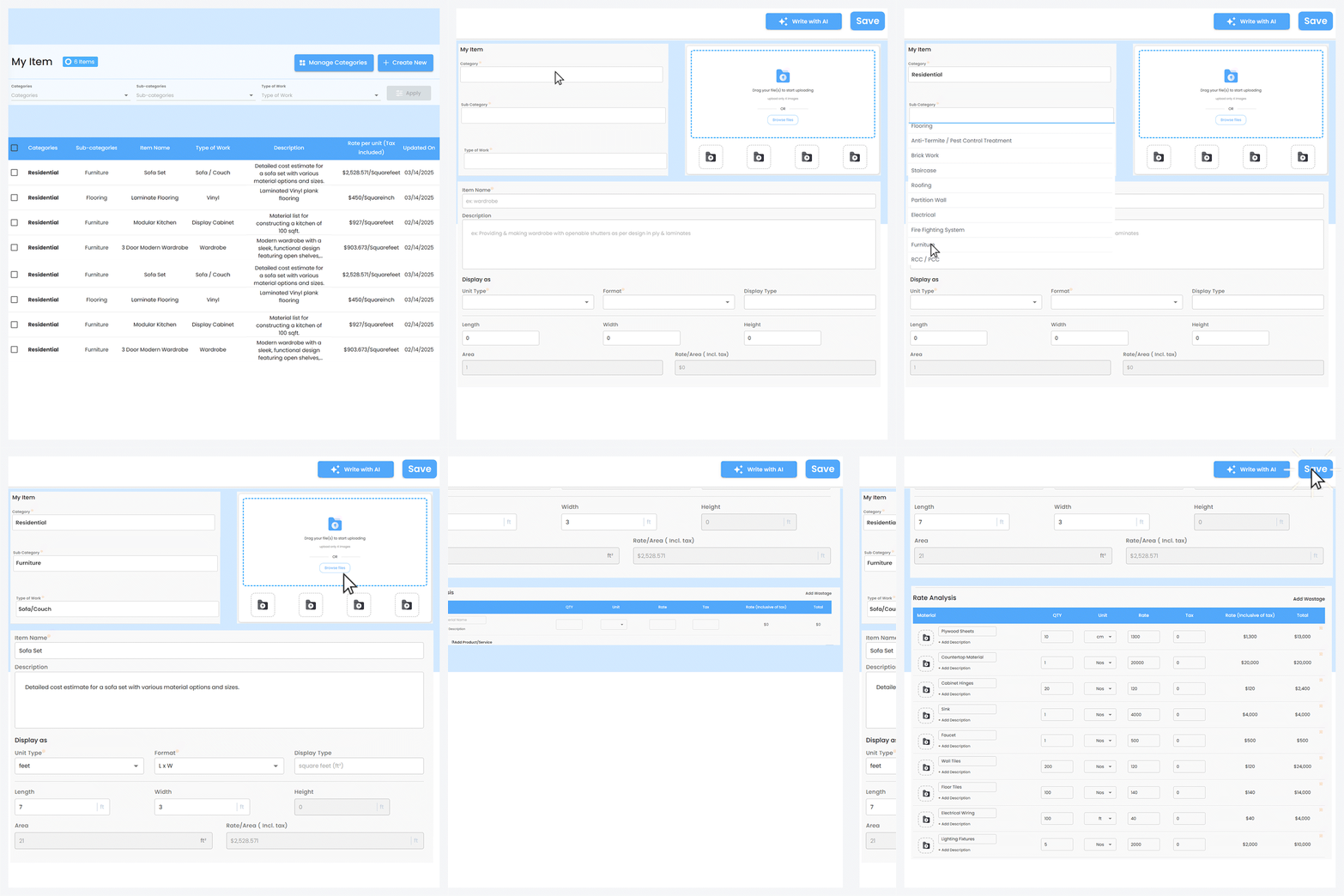
Easily create and manage your own BOQ items by adding quantity, unit, rate, tax, and images—making it faster and clearer to prepare and send professional estimates to clients.
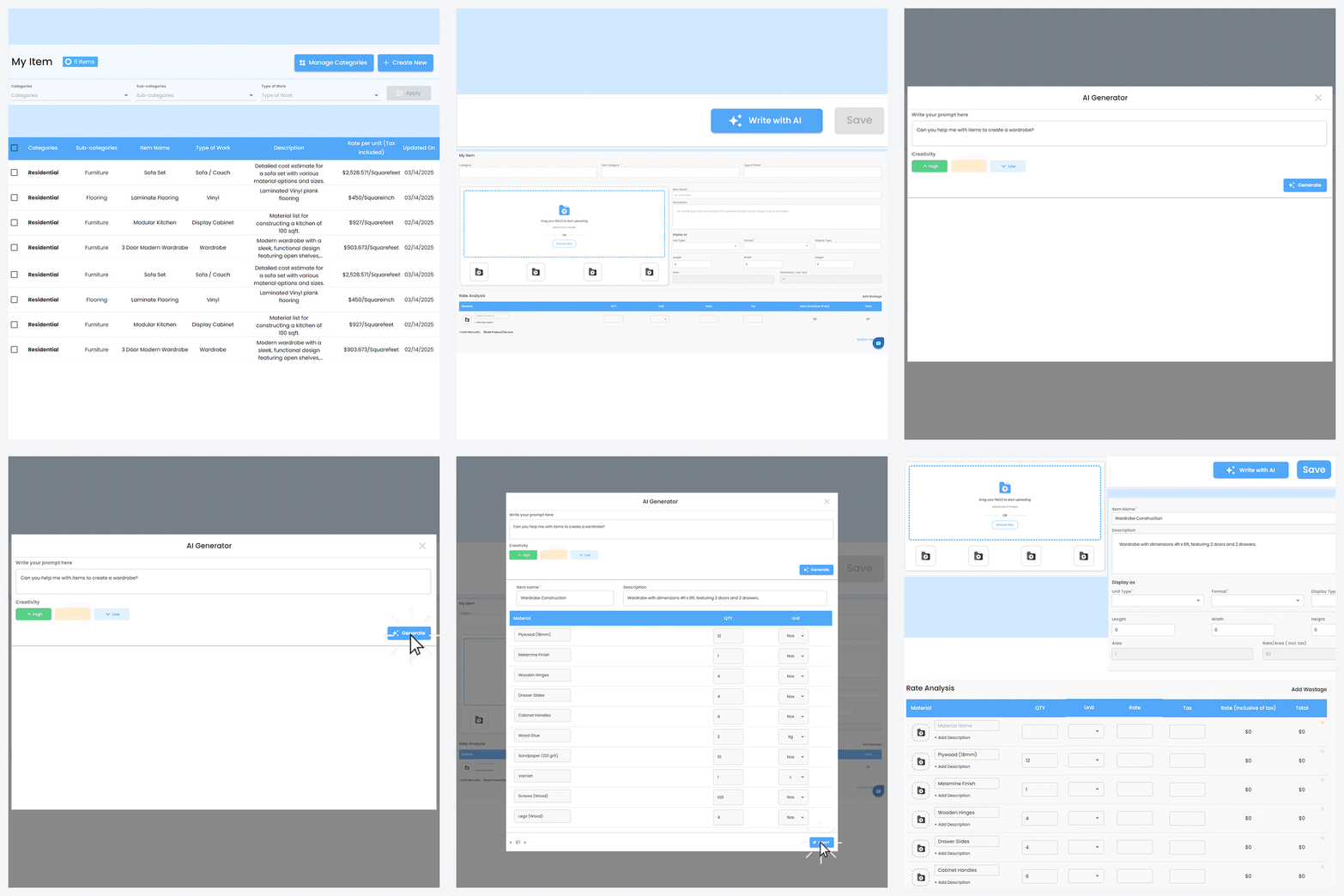
Easily create My Items in BOQ using AI—just type what you need, and the AI will generate a well-structured item with quantity, unit, rate, tax, and even space for product images. This not only saves you time but also ensures you don’t miss any detail while preparing client-ready estimates.
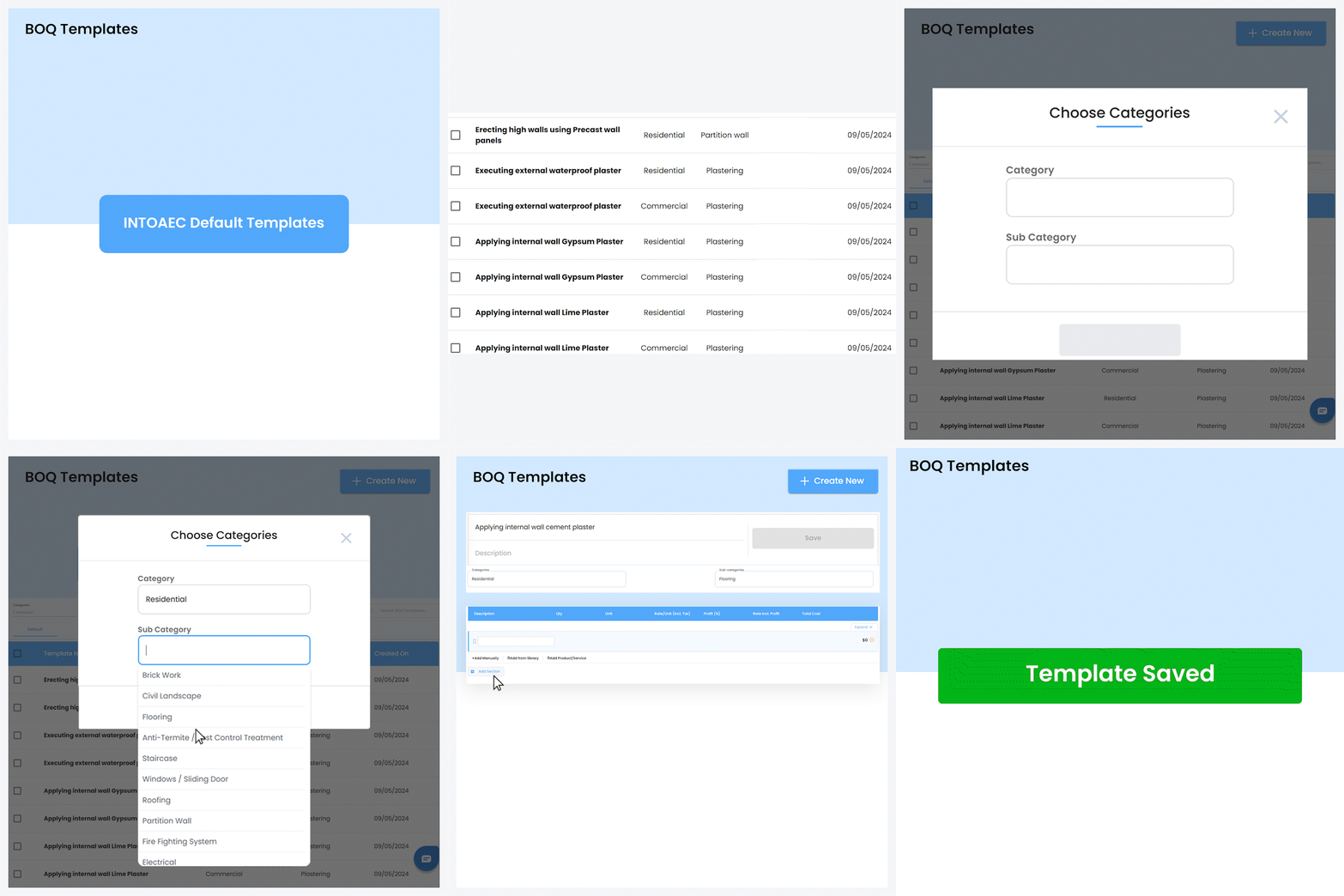
Use IntoAEC’s ready-made BOQ templates based on project activities or create your own by selecting categories and customizing them—saving time and streamlining your planning process.
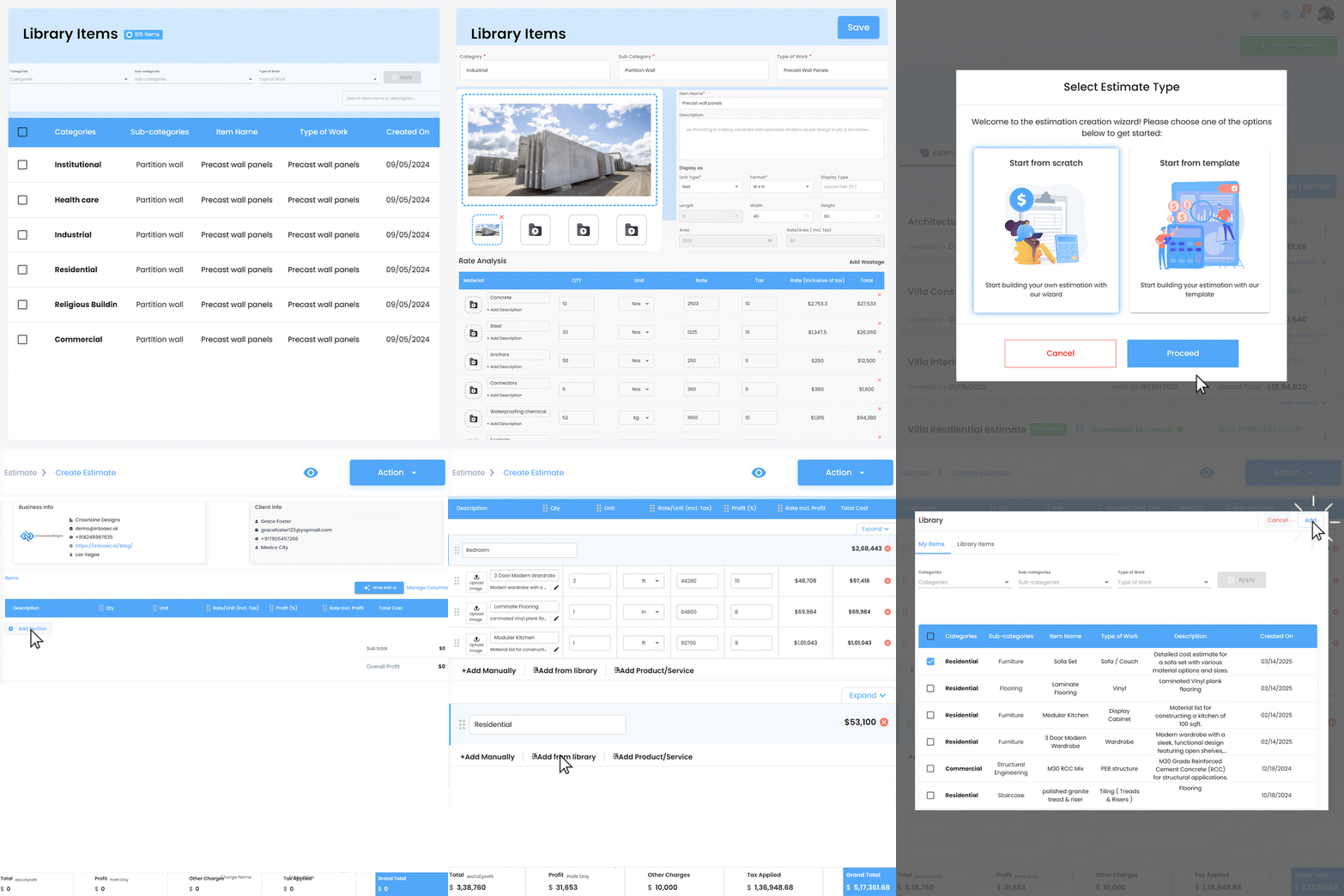
With IntoAEC Library Items, you can access predefined products and materials for your projects—making it easy to quickly add items to estimates by selecting from My Library or BOQ items, saving time and ensuring accuracy.