📍 Meet IntoAEC at ACETECH Expo 2026, Bengaluru (Oct 9–11)! Planning to attend? Reserve your demo slot and let us know you'll be there. Register Here→
Estimate
Estimate Like a Pro for Modern Architects & Designers
Say goodbye to messy spreadsheets and manual errors. With IntoAEC’s Estimation feature, you can generate accurate BOQs, adjust material rates, and forecast project costs in minutes. Whether you’re planning a proposal or updating a budget, our tool keeps everything fast, clear, and under control—so you can focus on design, not math.
Inquire Now
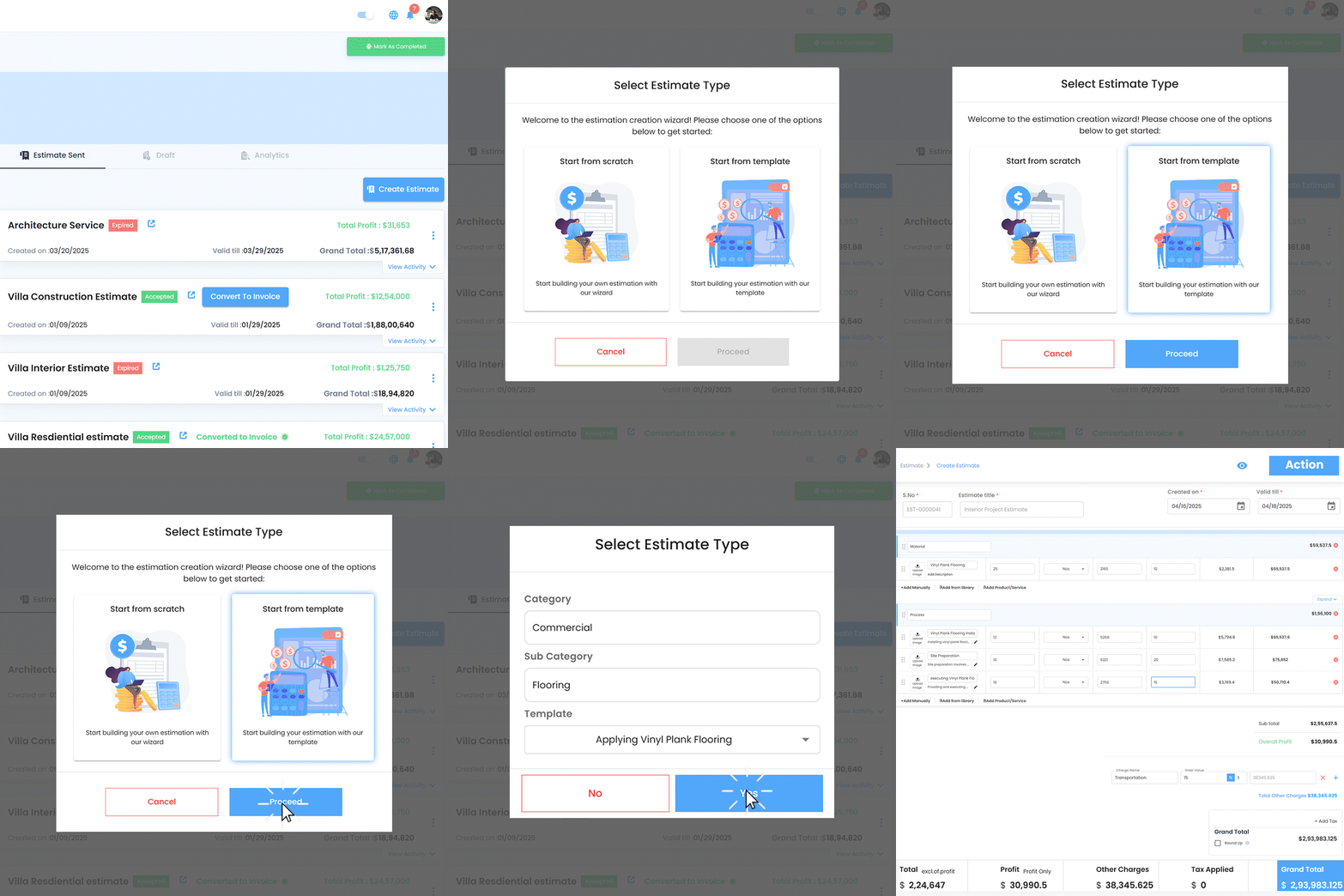
Instant Estimates with Intoaec Template Center
Create detailed estimates effortlessly using IntoAEC’s default templates—designed for architecture and design workflows. Save time, customize as needed, and send directly to clients for faster approvals.
Easily create custom estimates by adding complete product details—ensuring clients have a clear view. You can also pull items directly from My Library and BOQ, making the process faster and eliminating the risk of missing information.
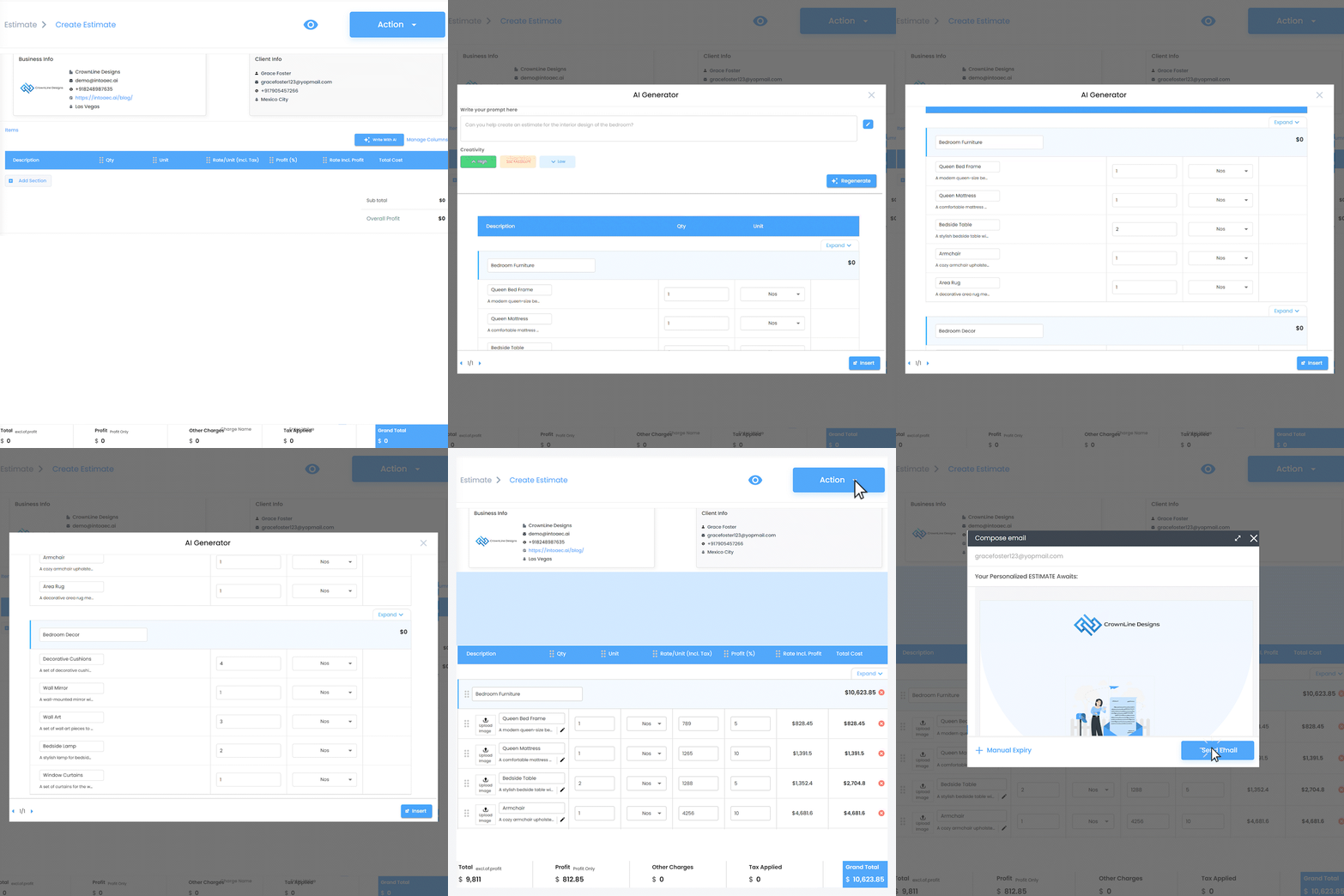
Just type in your requirements and let the AI auto-generate a complete estimate. You can review, edit, and customize it—saving you time while ensuring accuracy and professionalism in every client proposal.
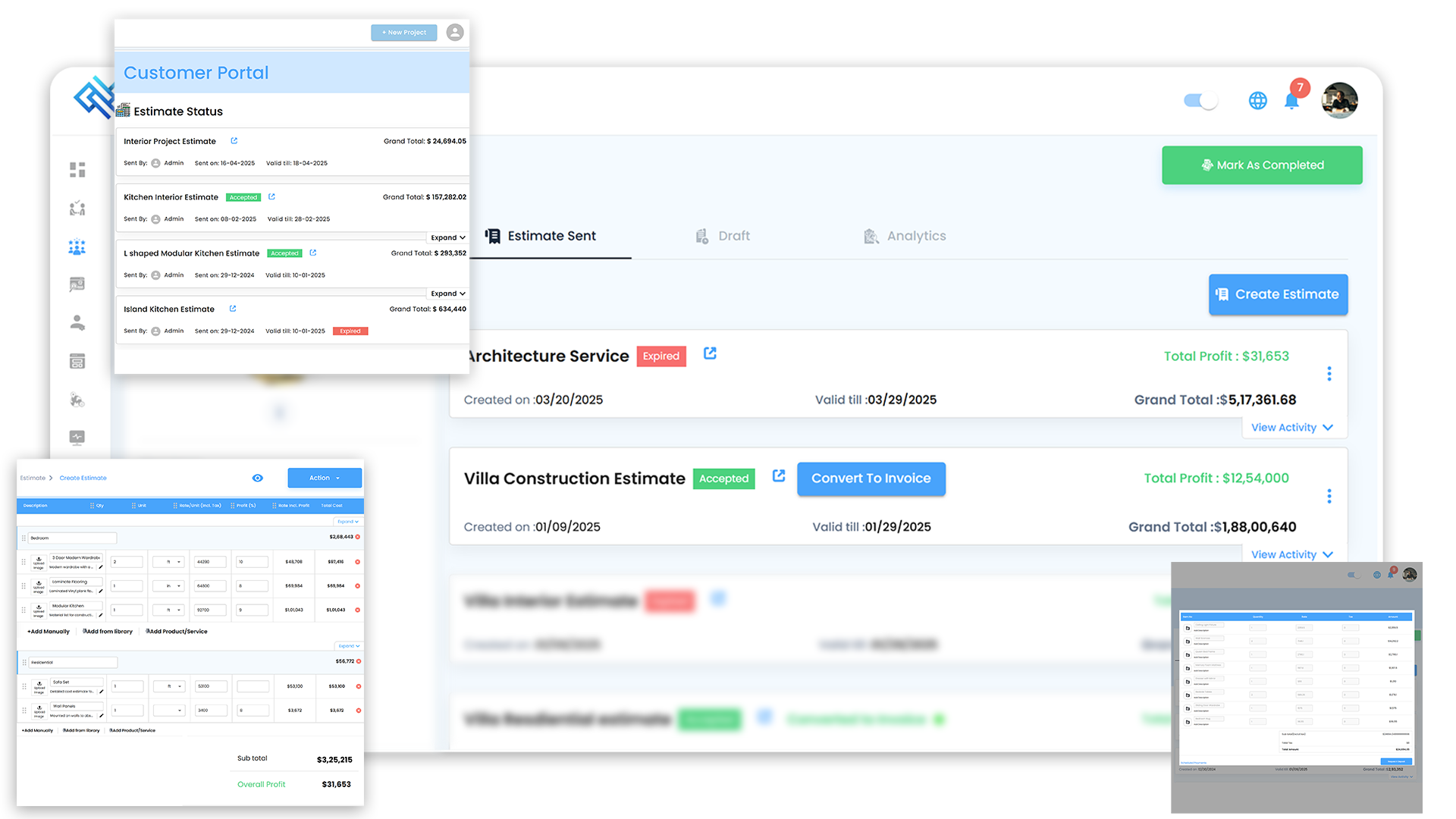
Include transportation, packing, labor charges, and taxes directly within the estimate—no need for separate bills. Clients get a transparent view of total cost and profit, along with terms & conditions and the option for e-signature approval.
Seamless Estimate Review & Approval in Customer Portal
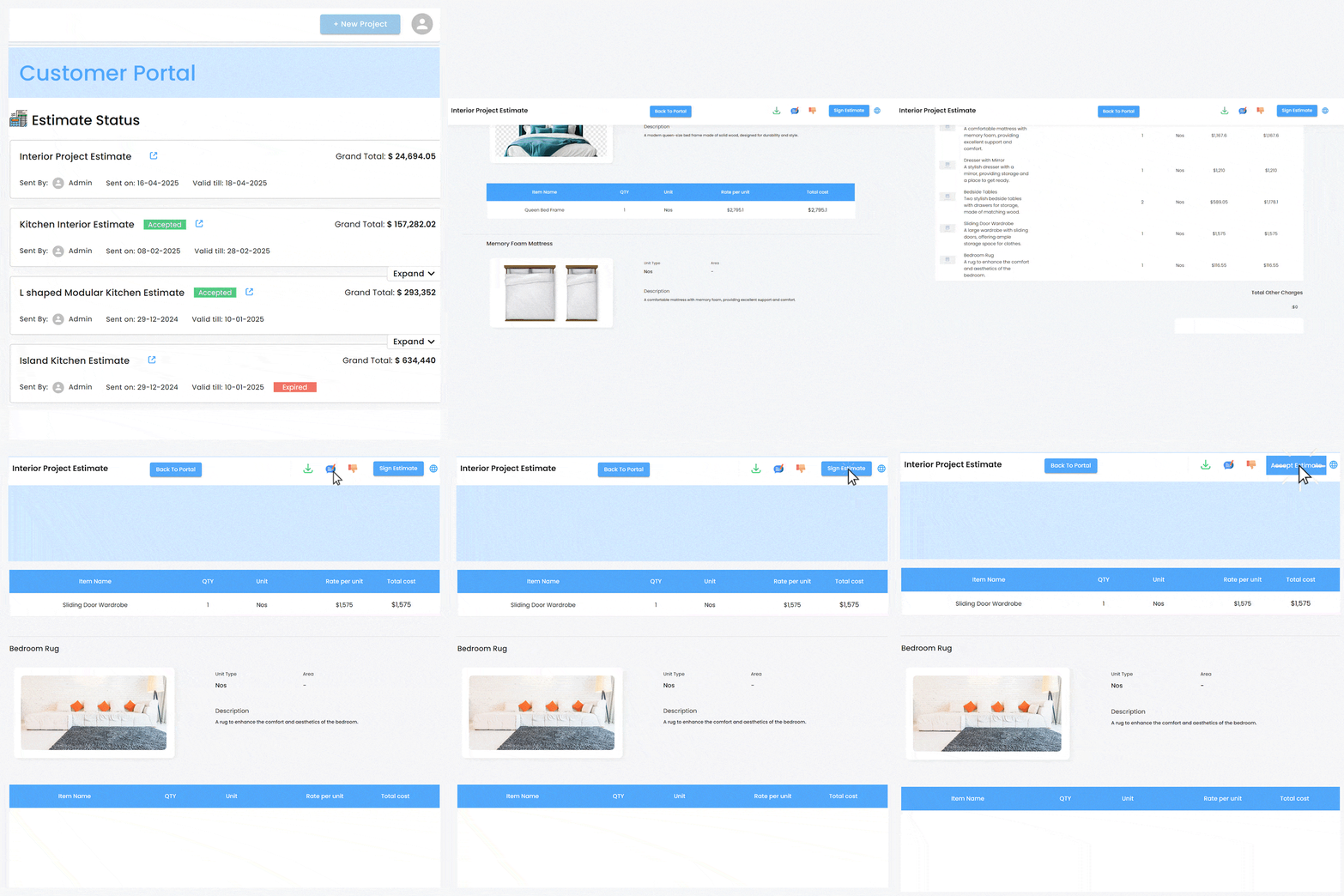
Clients can view detailed estimates, including products, prices, and project breakdowns—all in one place. With built-in commenting, they can easily communicate with the architect, suggest changes, and once satisfied, approve the estimate with an e-signature—no need to switch between platforms.
Once the client approves the estimate, effortlessly convert it into an invoice with just a single click—saving time and ensuring a smooth transition from planning to payment.