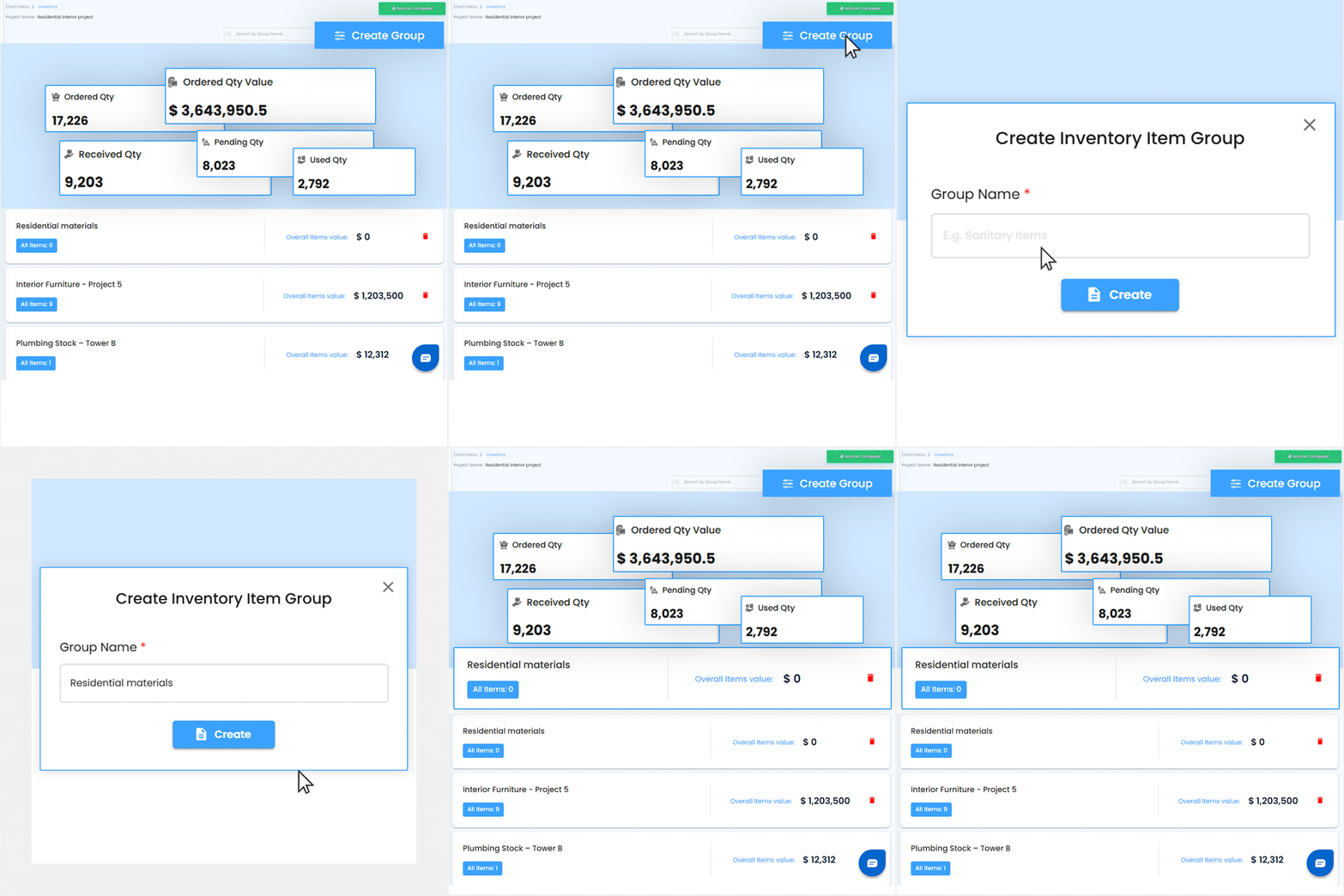
Track materials, supplies, and stock levels in real time with IntoAEC’s Inventory Management feature. From site to supplier, know exactly what’s available, what’s needed, and what’s running low—so you can avoid delays, reduce waste, and keep every project moving smoothly.
Inquire Now
Track Inventory with Complete Visibility
Stay on top of your inventory with a clear view of Ordered Qty, Ordered Qty Value, Received Qty, Pending Qty, and Used Qty. Easily create groups for each project to manage materials accurately and keep operations running smoothly.
Streamline your construction purchase order management by adding items directly from POs. Select approved vendors by title, view and edit Ordered Qty and revised quantities, and easily update Pending Qty and item rates. Stay in control of your procurement process and keep your inventory data accurate.
Quickly pull items from your construction inventory products by choosing the product source, category, and subcategory. Instantly view a list of available products in your inventory, making it easy to add the right materials to your projects and keep everything organized.
Easily enter products manually by adding the product name, quantity, unit cost, and unit type. Perfect for custom materials or items not yet in your inventory, ensuring every detail is tracked and accounted for.